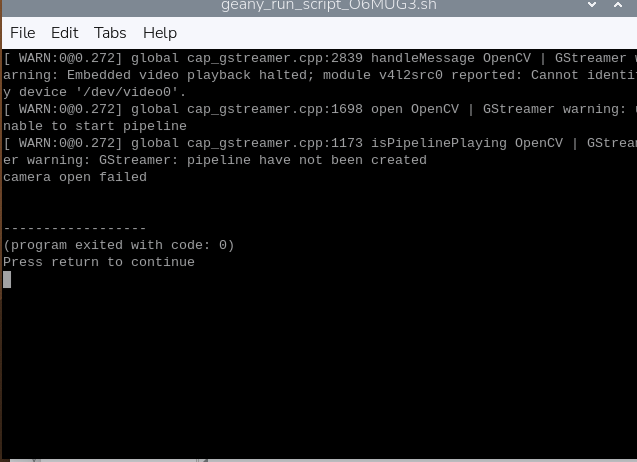
SOLVED Can't get v4l2 to work, rasbperry pi 4b, rpi os x64, 6.12.57-v8+
-
@jambojettt
show me the result of this cmd:dmesg | grep veye -
@veye_xumm nothing showed
-
@veye_xumm is there any point in a fresh pi os install?
I accidentally swapped the pins after I checked everything, and it shorted, hope it works.
I just need it to work, so I can do my thesis on argicultural application of machine learning. -
@veye_xumm

Everything is the same -
@veye_xumm

 !
!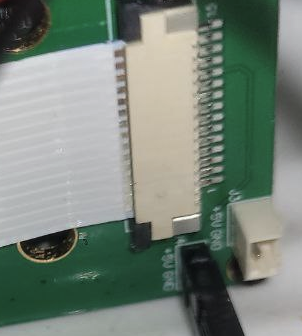 [0_1764333202538_7825037f-a24a-4cbf-b16b-42693c1e5a87-изображение.png](Uploading 100%)
I'm out of possible problems, maybe i got the pins wrong.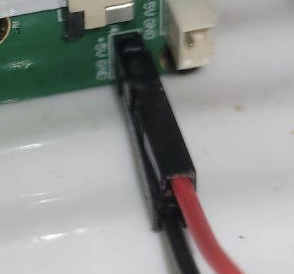
-
-
@jambojettt
I suspect you haven't seen the most important document, which is the link below. Generally, you don't need to compile the driver yourself. Instead, you can simply install the driver by following part4 in the link below. Specifically, the command you need to execute is:sudo ./install_driver.sh veyecam2mhttps://wiki.veye.cc/index.php/V4L2_mode_for_Raspberry_Pi#Driver_Installation
-
@veye_xumm
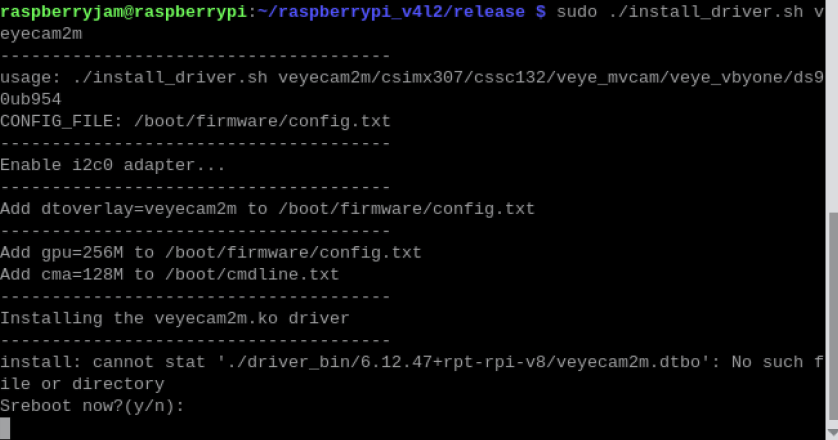
Before I followed the wiki, then I followed github. Which one is the correct one?
-
@jambojettt
Sorry for missing veyecam2m.dtbo, please try this new release package.https://github.com/veyeimaging/raspberrypi_v4l2/releases/tag/v1.27
-
@veye_xumm it is resolved now, the image is shown. Before with the steps on the forum the .dtbo file was also missing, I copied it from another folder and it didn't work. The right and supported way of installing drivers is very confusing, I tried installing by wiki guide and then compiling locally (github), since it didn't work. Thank you for your patience.